

How to deploy
You can embed your Voice Agent on any external website using the Deploy Agent dialog in your agent’s settings. Step 1: Open the agent settings by clicking the gear icon in the top-right of the agent editor.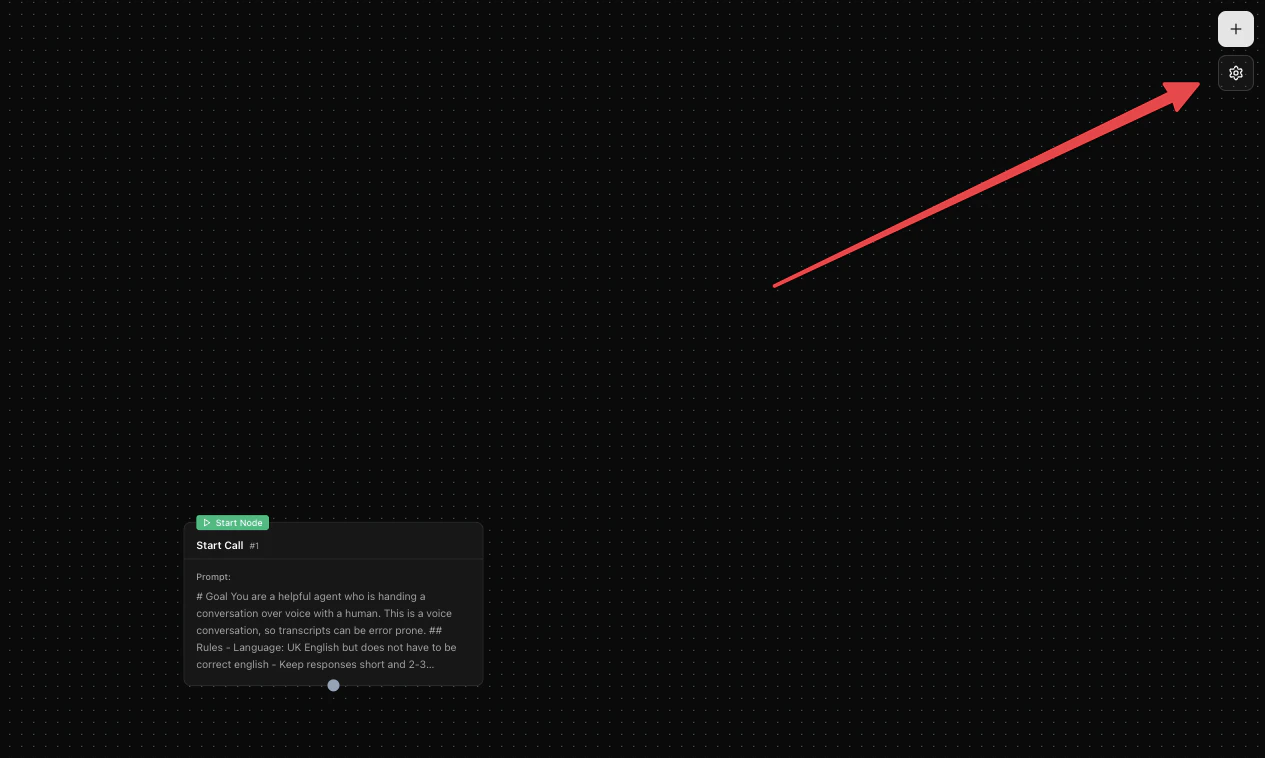
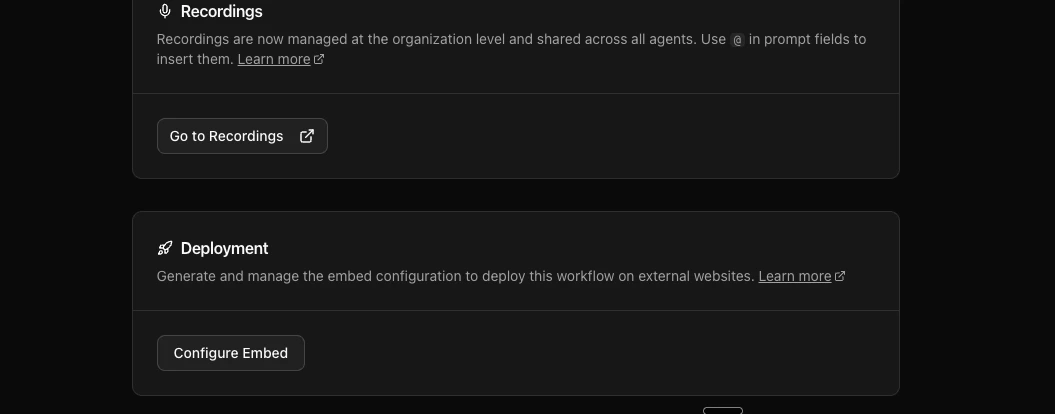
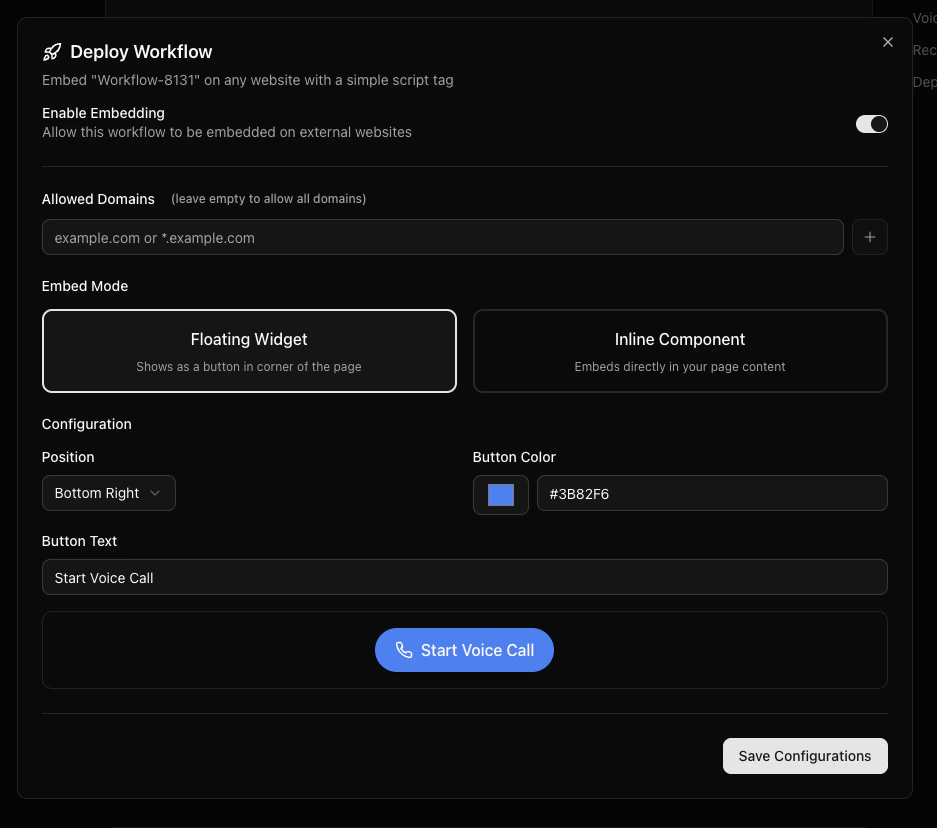
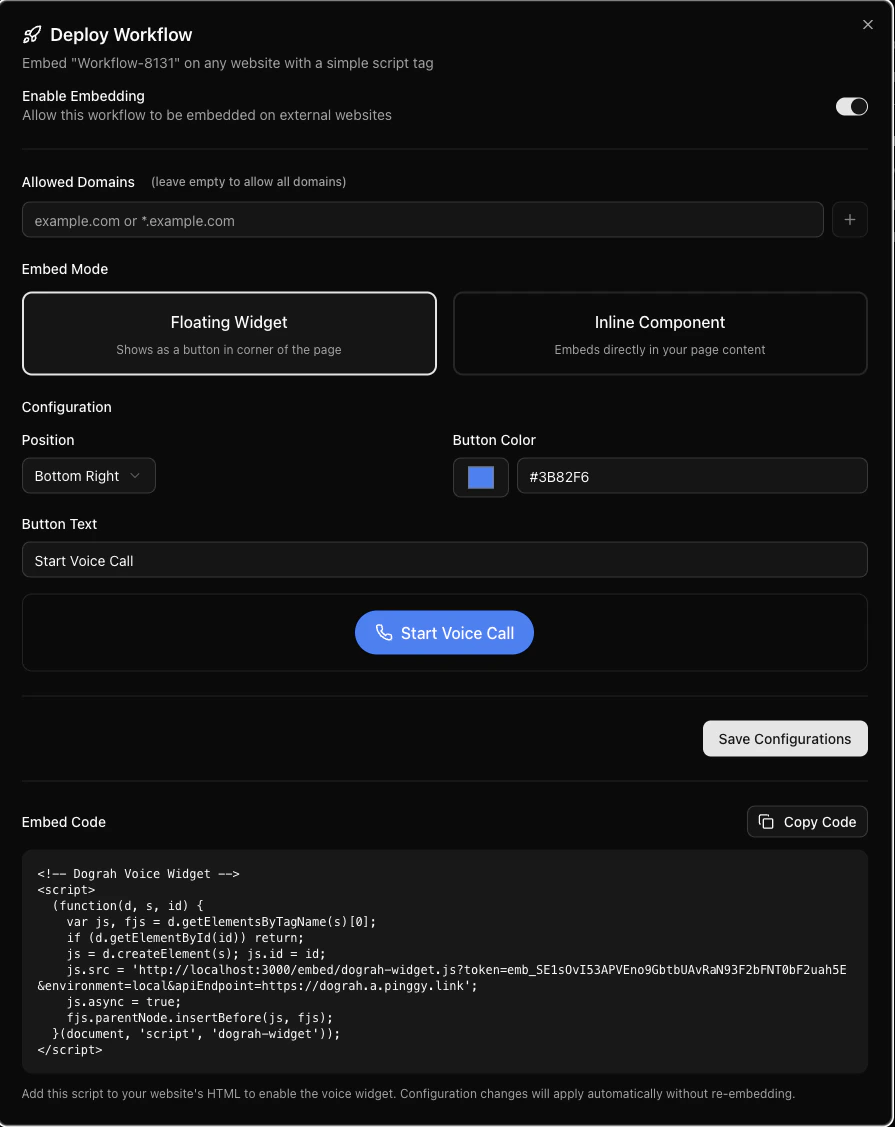
You can deploy and embed a Voice Agent that you create on Dograh on any Website or Mobile App, where the visitor of the website can interact with your Voice Agent.